
Losing an Android phone can be stressful because it contains personal data, banking apps, photos, and contacts. The good news is that in 2026, Android offers multiple safe and legal ways to track a lost phone quickly.
This updated guide explains step-by-step methods to locate, lock, or erase a lost Android phone.
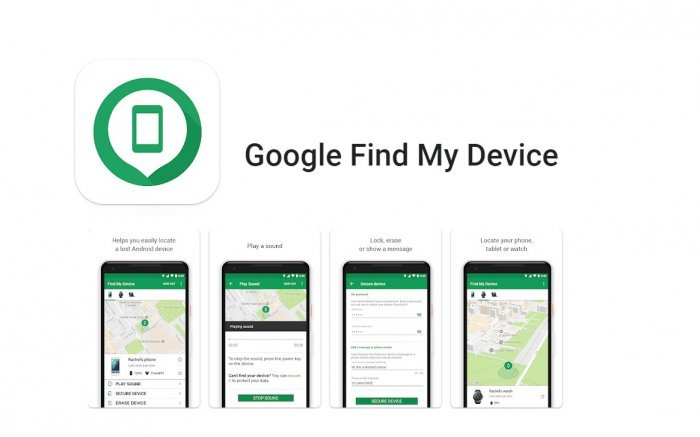
Method 1 – Use Google Find My Device (BEST & FREE)
This is the most reliable way to track a lost Android phone.
Requirements –
- Google account logged in on phone
- Location turned ON
- Internet access (Wi-Fi or mobile data)
Steps to follow –
- Open a browser on another phone or laptop
- Go to Google Find My Device
- Sign in with the same Google account
- Select your lost Android phone
After following these steps, you can view the live location on the map, ring the phone (even on silent mode), lock the phone with a message, and remotely erase all data.
Note – New Android versions show the last known location even if the phone is switched off.
Method 2 – Track Android Phone Using Google Maps Timeline
If location history was enabled, you can check where your phone was last used.
Steps:
- Open Google Maps
- Log in with your Google account
- Go to Timeline
- Select the date when the phone was lost
This helps identify:
- Last location
- Travel route
- Time of movement
Method 3 – Use IMEI Number to Block & Track (India)
Every phone has a unique 15-digit IMEI number.
Steps –
- Find IMEI from the phone box or Google account
- Block phone through the government portal (India)
- Telecom operators block the device nationwide
🔐 This prevents misuse and helps in recovery.
Method 4 – Block SIM Card Immediately
Blocking SIM is important to stop OTP misuse.
What to do –
- Call the customer care of your network
- Request SIM block
- Ask for a replacement SIM later from SIM provider.
This will secure your Bank accounts, WhatsApp, UPI apps
Method 5 – File Online FIR (Highly Recommended)
If your Android phone is stolen, file an FIR online.
Benefits –
- Legal protection
- Required for insurance claims
- Helpful in phone recovery
Most Indian states provide online FIR portals in 2026.
Important Safety Tips (2026)
- Always keep Location ON
- Enable Find My Device
- Use screen lock + fingerprint
- Save the IMEI number safely
- Enable Google account recovery options